How to Take the LTO Exam Online
When you want to apply for your driving license, the first thing you have to do is make you eligible for it. For this you need to take written and practical exams for the driving license. LTO issues your license if you know about the traffic rules and understand the road signs during your driving. And it is measured by the CDE exam and driving test.
This article gives you complete understanding about the CDE online validation exam. To know about how to take the LTO exam online continue reading, we will provide you with a step-by-step guide, exam requirements and tips to pass the exam.
Land Transportation Management System (LTMS)?
The Land Transportation Office launched a digital Land Transportation Management System (LTMS) portal which is accessible to everyone who needs to avail the LTO services in the Philippines. For example if you need the driving license, you must visit the LTO office and take the written exam but through the LTMS portal you don’t need to go anywhere, you take the exam online from your home. In a few clicks you can print the CDE certificate right after you finish your written exam without waiting in queues outside the LTO office.
The portal is accessible nationwide so, through LTMS, you can:
- Create an LTO account
- Take the LTO theoretical exam online
- View exam results
- Apply for or renew a driver’s license
Passing this exam is the primary requirement for any LTO license renewal application.
What is the LTO Exam (CDE Online Validation Exam)
For those who don’t know what the CDE validation exam is and why you need to pass it. So, basically it is the criteria to measure an individual’s knowledge for the driving rules and traffic violation. LTO check your abilities for safe driving through this exam’s results.
The CDE online exam divided into two parts such as:
- LTO Written Exam
- LTO Practical Driving test
It is available in English and Filipino. So you can take it in your understandable language to avoid any mistakes and deduction in your test scores. If you pass the written exam, you move towards the next step which is a practical driving exam. If an online exam measures your understanding about driving where a practical driving exam tests your driving skills and safe driving in real traffic. If you have forgotten your password to take the test, you must retrieve LTO portal account access.
Who Needs to Take the LTO Exam Online?
There is eligibility criteria, who needs to take the exam. You can take the online exam if you are:
- Applying for a Student Permit
- Getting a new driver’s license
- Renewing a license with violations
- Upgrading your license type such as student permit to non-professional and non-professional to professional license.
Review the LTO violations and penalties to understand the traffic rules covered in the exam.
How to Register for the LTO Exam Online (Step-by-Step)
The LTO helps drivers to use the LTMS Platform for Online LTO Exam Registration. The exam is required to finish the Continuing Driver’s Education (CDE) course. If you pass it, you will receive a CDE Certificate of Completion, which is also necessary for renewing your driver’s license. But if you fail the exam, you will retake it.
Online testing makes the process easy and convenient, especially for the drivers who cannot visit an LTO office right away. For online registration for the CDE exam follow the step-by-step instructions:
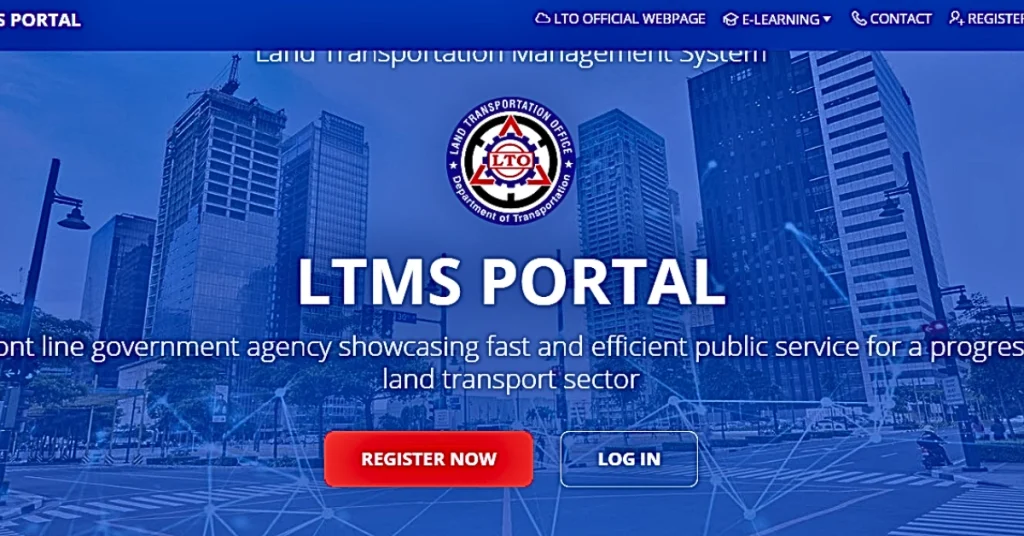
Step 1: Go to the LTMS Portal
In the first step, connect your mobile phone or computer to the one you are using. And type “LTMS Portal” and open the official LTMS website link.
Step 2: Create an LTMS Account
Now sign up the portal, click on register and provide a valid active mobile number and set the password.
Step 3: Verify Your Email
Now you will receive an email by LTO, go to your email, open the inbox and click the verification link sent by LTMS.
Step 4: Log In to Your Account
In the next step you have to login your account. Go to the portal again and click on the login button, provide your registered email and password and tap on “login”.
Once passed, your certificate will be linked to your profile, allowing you to list your vehicle in the LTMS portal for easier management.
How to take the CDE exam online?
When you log into your account, you see a dashboard, from this dashboard, look for “E-Learning”, click on it.
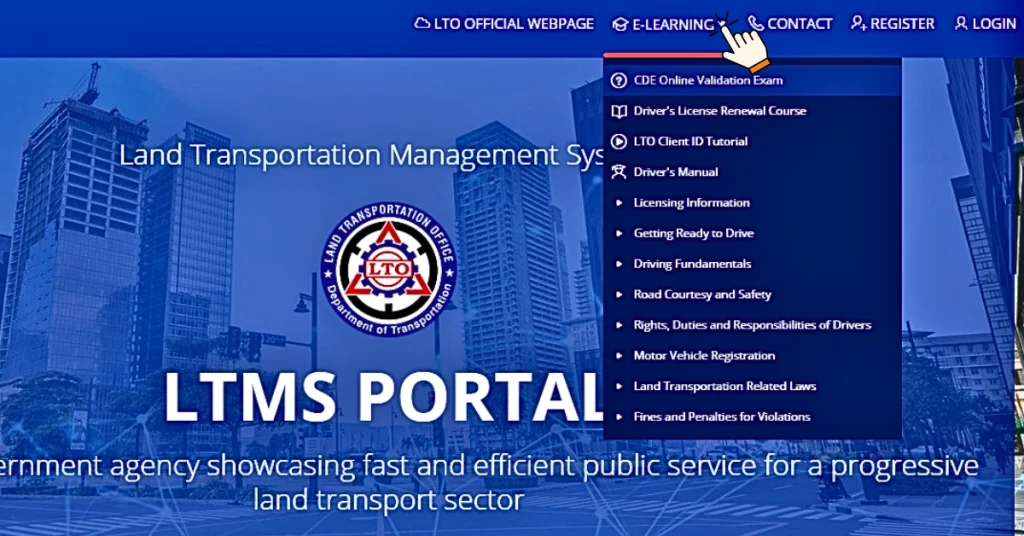
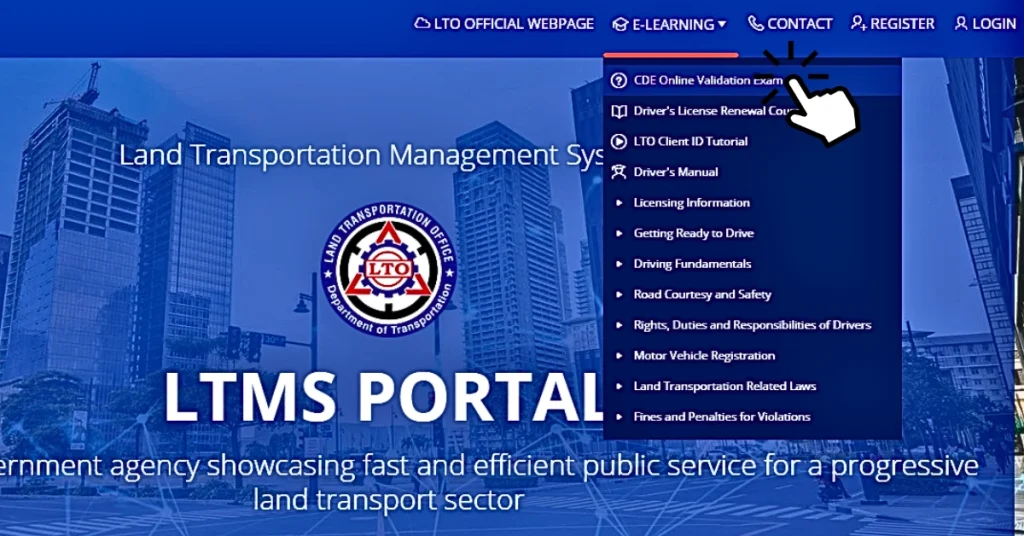
Now tap on the “CDE online validation Exam”.
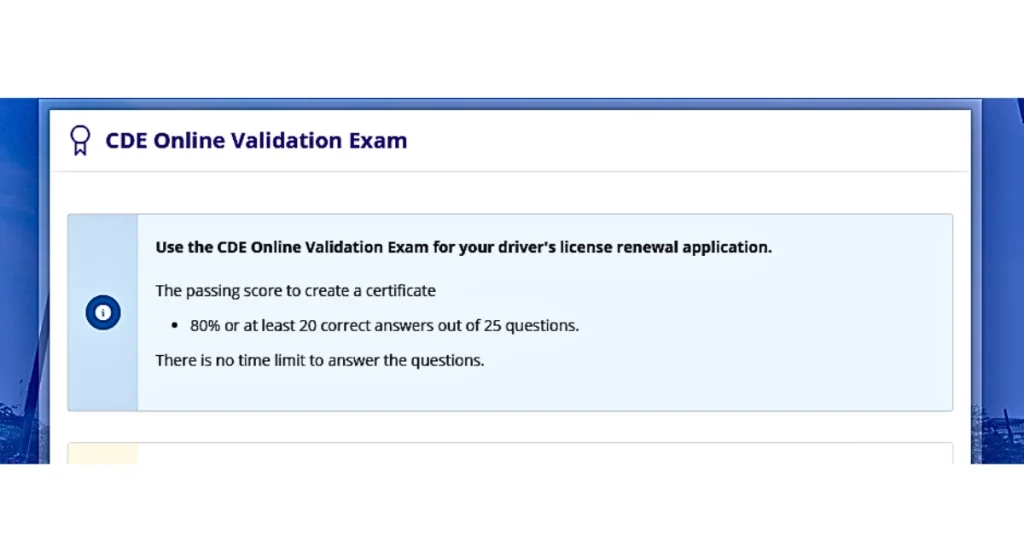
- Now read the instructions carefully on your screen like passing marks, question types etc. before you start the exam.
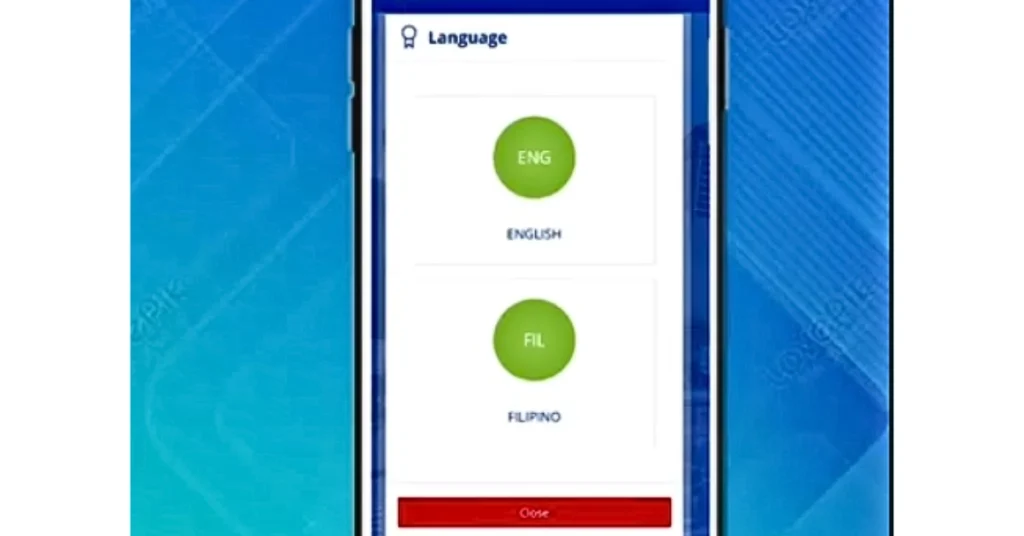
Select the language which you can perfectly understand.
- English
- Filipino
- Then click on the “Start” button, and your exam timer will start counting down.
- Read each question carefully and choose the best answer for the question and click “next”.
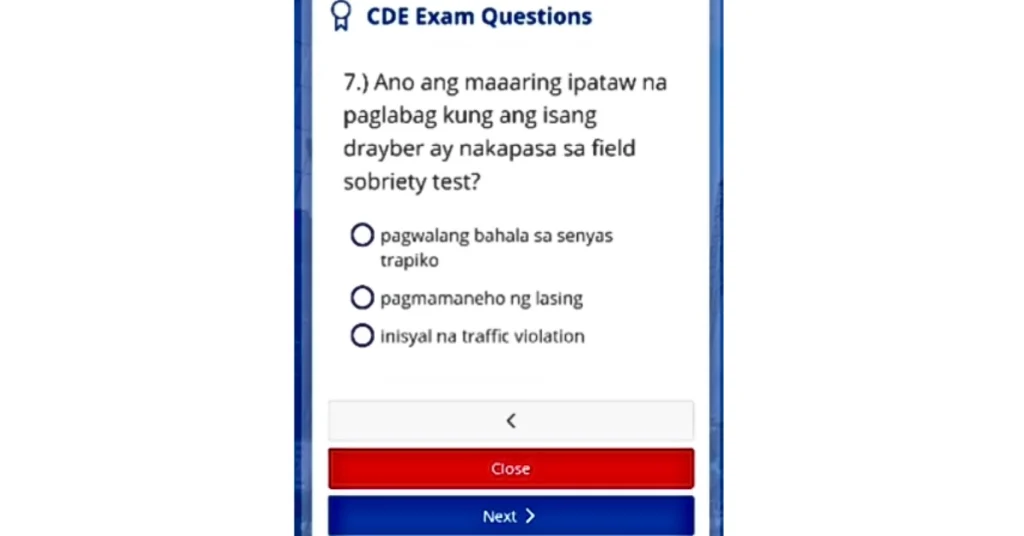
- When you have answered all the questions, click the “Finish” button to submit it.
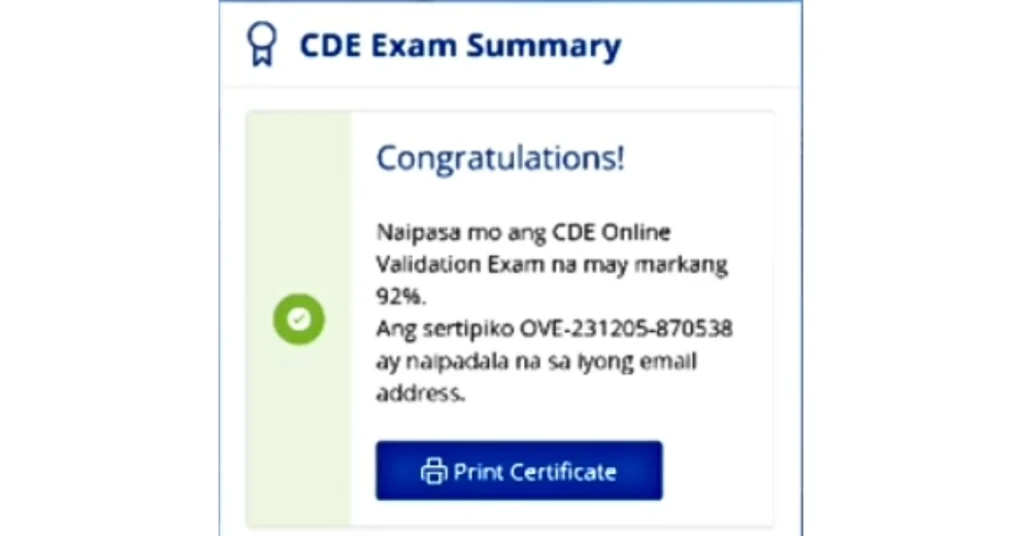
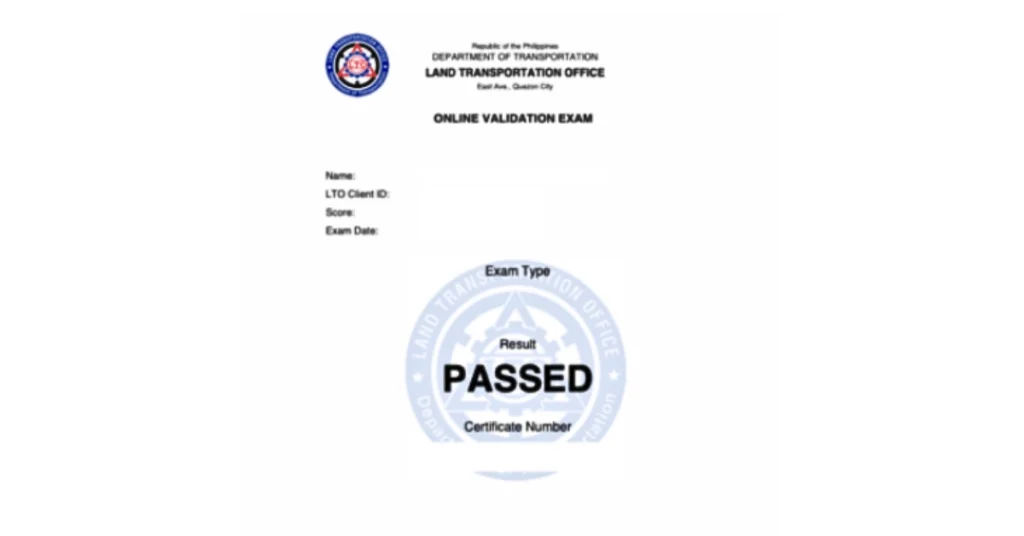
- Now you can directly print your certificate, click on “Print Certificate”. Your results are shown immediately on the screen.
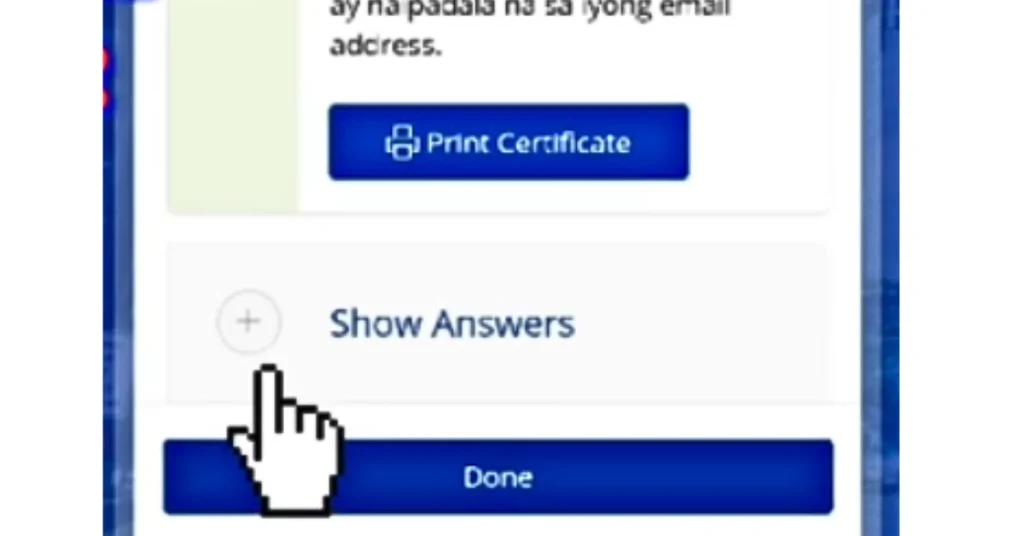
- Click on the “Show Answers” and see your correct answers.
Coverage of the LTO Online Exam
Before taking the exam you should know about the pattern of the exam. Because when you know it you can perform better. If you study before the exam, the questions are easy to understand. These questions are multiple choice and about:
- Traffic signs and signals
- Road markings
- Driving rules and laws
- Right of way
- Penalties and violations
You can check LTO rules regularly for the passing scores. Usually these are 80% but these are up to your license type for which you are applying for like students permit, non-professional or professional. If you fail, don’t worry! Practice from the LTO CDE online exam validation course and then retake the exam.
Tips to Pass the LTO Exam Online
1. Study the Official LTMS Modules
Before taking the exam you have to go through the exam modules which have a clear explanation of traffic rules, signs and penalties. The LTMS portal has free learning materials, if you avail, it will be the best source for you rather than anyone else.
2. Understand Road Signs First
The exam contains most questions on signs, symbols, and markings so you should learn them from the LTO modules.
3. Practice Using Mock Tests
Every section of the module has a practice test at the end of the section. You can practice these questions to understand question style and timing.
4. Read Each Question Slowly
You must read the question carefully before selecting the correct option because some questions are tricky.
5. Check Answers Before Submitting
Review your answers before submitting it.
Online Exam vs On-Site Exam
Online Exam | On-Site Exam |
Taken at home | Taken at LTO office |
More flexible | Fixed schedule |
Needs internet | No internet needed |
Quick results | Take time for results |
Common Problems During the Online LTO Exam
Login Error
If you face any error during login to your account, it may be due to wrong password or poor internet connection. First check your internet signals, connect your device with a strong wifi connection then click on the forgot password option and reset your password.
Exam Not Loading
When you start the exam, sometimes it takes time to load the page. If it happens you need to refresh the page or you can take it after some time. Connect your device with a good internet, login your account and start your exam again.
Internet Disconnect
If you have poor wifi signals you can use your mobile data or a strong VPN connection.
Exam Not Showing
If your exam is not showing on the portal, you have to check your eligibility.
Note: If you can’t resolve your problems and it continues after applying the possible fixes, then you should contact LTO support.
Things to Know Before You Take the LTO Exam Online
- Use a strong internet connection
- Prepare a quiet place for the exam
- Keep your OR/CR and valid ID nearby
- Answer all questions before submitting
- Follow the time limit carefully
- Avoid using multiple devices at once
- Log in early to prevent technical issues
- Take screenshots after finishing the exam
- Check your exam result in the LTMS dashboard
- Wait for system confirmation before closing
- Contact LTO support if errors appear
- Do not create multiple LTMS accounts
- Review LTO rules before retaking the exam
- Save your login details safely
- Do not refresh the page during the exam, refresh only if it shows some technical issues.
Conclusion
CDE online validation exam through the LTO portal helps the applicants to avoid the on-site exam and waiting in long lines. You can easily complete your exam and get the certificate immediately after finishing the exam. This article has explained everything about how to take the LTO exam online at home, its requirements and tips to pass the exam in the first turn.
You should learn traffic rules not to pass the exam but to become a safe and responsible driver which is necessary to protect yourself and others on the road.
Frequently Asked Questions (FAQs)
How to enroll in LTO portal?
To enroll in the LTO portal go to the official LTMS website and click on register then enter your required details and click on login. For complete guidance visit our page for LTO registration.
How to pass the LTO written exam?
To pass the LTO exam you have to learn traffic signs, driving rules, violation and penalties. You can read out the CDE validation modules which are given on the LTO portal.
Can I take an exam in the LTO portal?
Yes, if you have a strong internet connection and a valid LTMS portal account, you can take the exam online easily in the portal.
What is the hardest part of the driving test?
Many of the applicants get parallel parking and road signs as the hardest part of the practical driving test.
What are the requirements for the LTO exam?
You need an LTMS account, your valid ID, and completed driving course (if required).
In some special cases you need a medical certificate also.
Can I create another LTMs portal account?
You can just create one password on your ID, if you encounter any issue with your existing account you just resolve your problem.
How many times can I take the LTO exam online?
If you fail, you can retake the exam after a waiting period. The number of tries depends on LTO rules and your license type. When you have expired your driving license date you again take the exam and renew your driving license. Check our guides on renewal of license.