How to Retrieve LTO Portal Account?
LTO Portal, also called LTMS portal, is the digital platform where Filipinos register themselves and get the LTO services from their homes. If you are not login to your account and facing any error related to your LTO account. You can’t access the benefits of the portal and visit the LTO office again and again for your minor task.
In this guide you will get your solution! You will know how to retrieve an LTO account with or even without your email and password, its requirements and who can recover. You will also get the safety rules and tips to protect your account ban in the future.
Let’s Know About the LTO Registration Renewal?
First of all you need to know about the LTO renewal registration. Basically, it is the process of renewing or re-registering your vehicles by Land Transportation Management System. It is necessary for verification of your vehicles.
It is the online process of renewing a vehicle’s registration through the LTO LTMS Portal. You, as a vehicle owner, create an account on the portal and perform everything about renewal from that portal like you can pay your fee, get an appointment, and track the whole process online.
When Should You Renew Your LTO Registration?
Before going to the steps of the renewing process we want to tell you about when to renew your car/motorcycle registration. Because if you know the right time to renew it, you can save yourself from any violation.
When you buy a new car you register it for the first time and this LTO registration is valid for 3 years and after that you need to renew the car registration annually. It is important for your car maintenance every year so that LTMS verifies your vehicle as roadworthy and allows it on road traffic.
LTO Registration Renewal Schedule
It depends on your plate number when you renew. The last digit of your plate number determines the month of your renewal:
- 1 – January | 2 – February | 3 – March | 4 – April | 5 – May
- 6 – June | 7 – July | 8 – August | 9 – September | 0 – October
The middle digit determines the week within that month:
- 1, 2, 3 – 1st to 7th working day
- 4, 5, 6 – 8th to 14th working day
- 7, 8 – 15th to 21st working day
- 9, 0 – 22nd to the last working day
Useful Tip:
If you want to be sure that the renewal process is smooth, you can do it up to one month earlier than the deadline, if you do it at that time there could be glitches in the system and people rushing to submit theirs. Account access is necessary to take the mandatory test; see how to take exam in LTO portal.
Requirements for Registration Renewal
Now check all the requirements before applying online. Here we are discussing all the required documents and details. Check it and prepare while you open your portal.
Basic Requirements
Here are the basic requirements which is required for every vehicle, such as:
- OR/CR: Your latest Official Receipt (OR) and Certificate of Registration (CR).
- LTMS Account: You have to login and access your portal.
- Vehicle Details: You require a late number and Chassis number for verification.
Additional Requirements
Sometime you need additional inspection reports and tests for your vehicle renewal, like::
- MVIR (Motor Vehicle Inspection Report): This is now electronically transmitted by the PMVIC (Private Motor Vehicle Inspection Center) directly to the LTO system.
- CTPL Insurance: A valid Compulsory Third Party Liability insurance policy. Like the inspection report, insurance providers now transmit your Certificate of Cover (COC) electronically to your LTMS account.
- Emission Test: If you are in the areas where a PMVIC is not available, a separate Certificate of Emission Compliance (CEC) from an accredited PETC is required.
Before renewing your LTO registration online, you need to make sure your vehicle is already added to your LTMS account. For this purpose follow these simple steps to check.
- Open the LTO website and login your account.
- Provide registered email and password or other account details and login it.
- In the next step, from the portal’s dashboard click on the “My Vehicles” or “Vehicles”.
- Then you will see a list of vehicles which are linked to your account. From this list you can check your vehicle’s details like plate number, vehicle type and registration status etc. if you can see all this information about your specific vehicle, it means you have already listed it and you can renew it now.
You cannot proceed with an LTO license renewal without successful login credentials.
Method 1 – Retrieve LTO Portal Account Using “Forgot Password”
When you enter your email and password and click the login button, you face errors like “Wrong Password”. You remember your email and just forget your LTMS password then you can access your account and open your inbox easily. You just need to reset your password in a few simple steps:
Step-by-step password reset
- First go to the LTMS login page
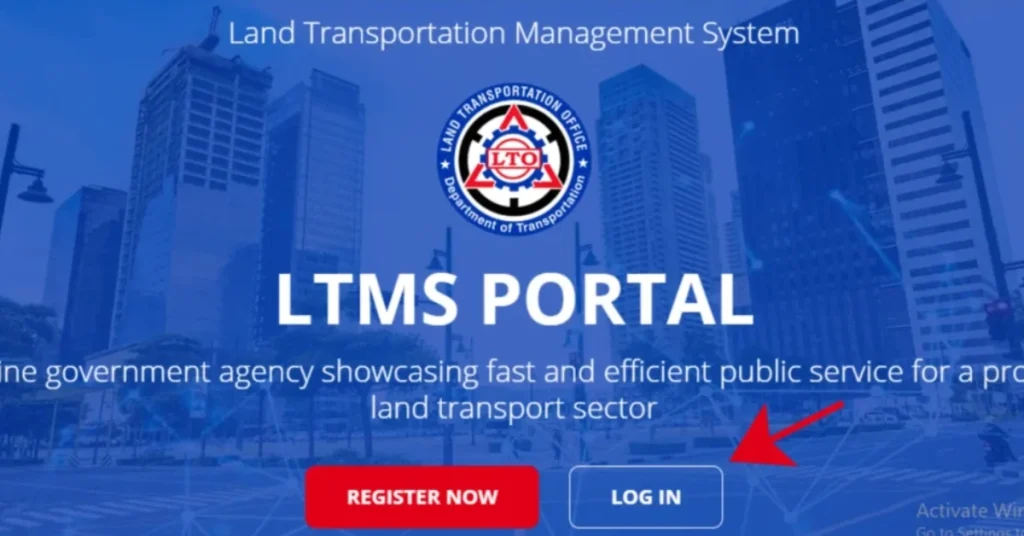
- Now click “Forgot Password”.
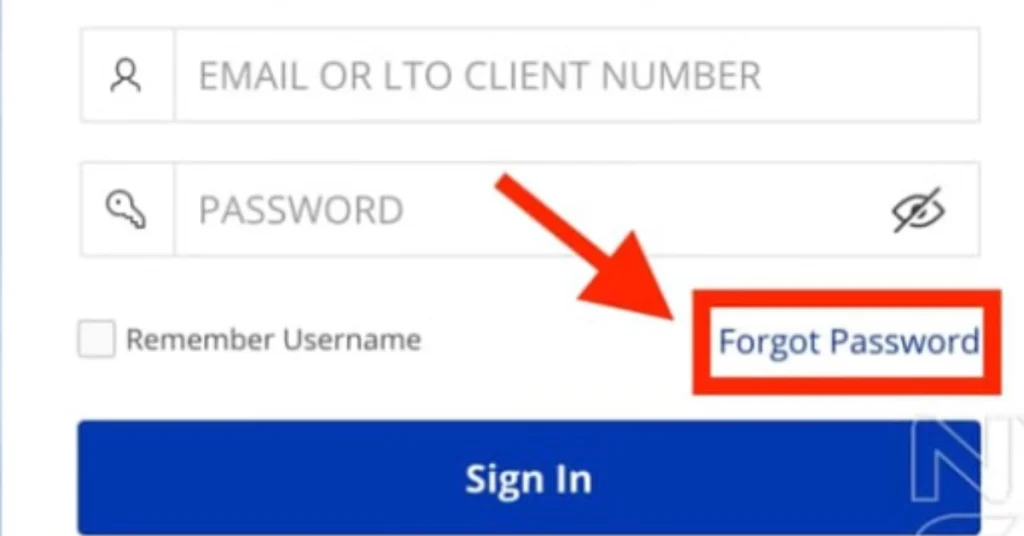
- Enter your registered email, you can use your client number if you do not remember your registered email address.
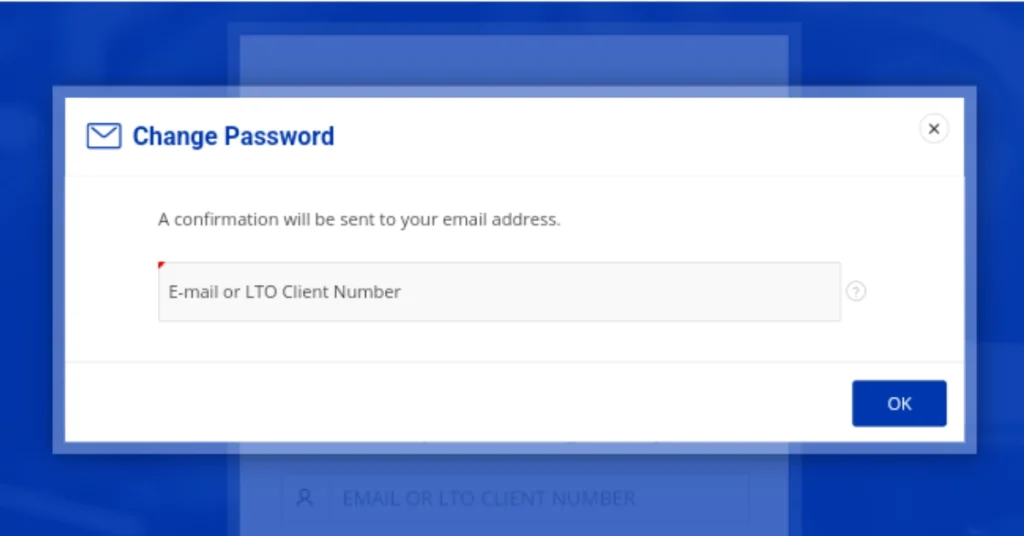
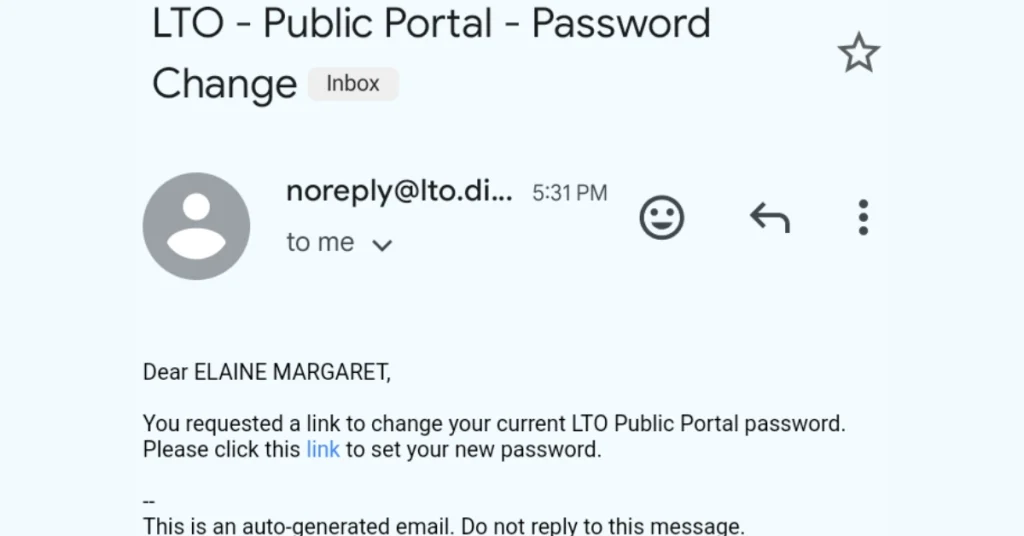
- After that you will receive an email from LTO, check your inbox and open the reset link sent to your email.
- Now create a new password.
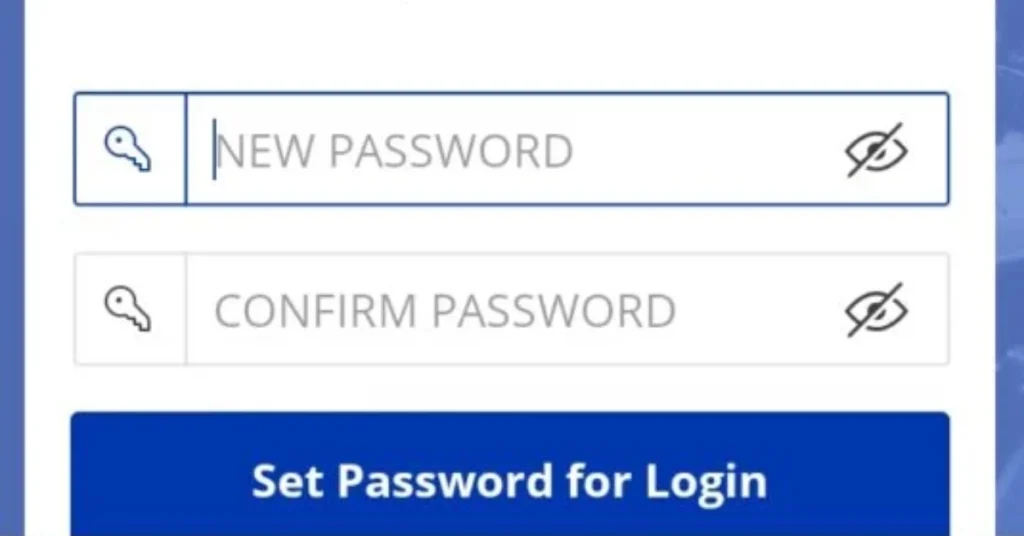
- Now log in your account with the new LTMS password.
Once retrieved, you can check for any hidden fines in the LTO violations and penalties module.
Method 2 – Retrieve LTO Portal Account Without Email
If you are logging in your LTMS portal account and you forget your registered email with the portal. You can access your account and recover your email by visiting the LTO office and contacting LTO customer support.
In-Person Recovery at an LTO Office
The in-person method is the most reliable option because you cannot skip any steps, and you can recover your account right away. When you visit the LTO office, just follow the steps below.
Steps
- Visit any nearby LTO branch.
- Tell the staff you need LTMS account recovery.
- They will ask for your valid ID then show them your valid ID and documents.
- If they ask further details then answer identity questions.
- You can request to link a new email.
- Then you will receive password reset instructions. You just follow the instructions and reset your password and your account will be recovered with a new email.
What to Bring
Here is the required documents list which you must bring with you when you visit the LTO Office.
Government ID
Driver’s license (if available)
OR/CR (for vehicle owners)
Mobile phone (for OTP)
How Staff Verifies Your Identity
When you arrived at the LTO office and tell them your concern to recover your LTO account the LTO staff will:
- Match your name and birthdate
- Check your license or vehicle records
- Send an OTP to your mobile number
- Confirm your new email
Contacting LTO LTMS Support
If you can’t visit the LTO office and you want to recover your account from your location you can contact LTO customer support and they will check your details and instruct you to recover it.
To get the customer hotline click here.
You can also contact LTO through:
- Official LTO Client Care email
- LTO hotline
- LTO social media pages like Facebook, Instagram etc.
If you message them or send email, you have to include the details below in your message so that they can easily find your account and recover it.
- Full name
- Birthdate
- Old email (if remembered)
- Mobile number
- Clear photo of valid ID
Regaining access also allows you to finally list your vehicle in the LTMS portal for online registration.
LTO Portal Account?
LTO portal account is the online access to the LTO services like vehicle registration, applying or renewal of driving licenses, taking CDE online validation exam, check vehicle record and pay traffic violation fine etc.
Requirements
Personal Documents
- Government-issued ID: You require a secondary ID (UMID, Passport, PhilID), if you don’t have your driving license and you want to apply for it and need your account recovery.
- Driver’s license: If you have a driving license or even if it is expired, you must show it for your identification. Because your license number is your primary client ID, which helps you to recover your account.
- OR/CR: It is necessary for vehicle owners to verify their ownership links in the system.
Account Details That Help LTO Find Your Record
- Full name: Your name must be the same as in your driving license.
- Birthdate: Your date of birth works as secondary verification.
- Mobile number: You require a valid and active mobile number which you have provided when you registered your account.
- Old email: If you have remembered your old email address which is registered in the system you can recover easily from your old email.
Account Recovery Requirements List
Item | Why It’s Needed |
Valid ID | Identity check |
Driver’s License | Match LTO records |
OR/CR | Vehicle verification |
Mobile Number | OTP confirmation |
Old Email | Faster account search |
Why People Lose Access to Their LTO Portal Account
Most of the LTO portal users face the issue of accessing their portal account. It can be due to some common reasons such as:
- They forgot their LTMS password, when they enter a password they get the “invalid password or wrong password” error.
- They lose access to their registered email, when they enter an email they face the “invalid email or account” issue.
- When they attempt to create new account once again they face the account access issues,
- When a person types the wrong details too many times they get an account locked.
- They created an account years ago and forgot the login info.
Common Problems During LTMS Account Recovery
During your recovery process you can encounter some common problems. Here we are discussing them with simple fixes.
Problem | Reason | Fix |
Account not found | Old records not digitized | Visit LTO branch |
ID mismatch | Name spelling error | Request data update |
No reset email | Spam filter | Check junk folder |
Recovery delay | High support volume | Follow up after 3–5 days |
OTP not received | Wrong mobile number | Update contact info |
Email delivery issues | Busy system or internet issue | Wait at least 24 hours and also check your Spam/Junk folder. |
Who Can Recover LTMS Portal Account
If you have already registered to the LTMS portal account, you can request account recovery for security reasons. You can recover an LTMS account if you are:
- The real owner of the account
- The person whose name and details match LTO records
- Able to show valid identification
But if you don’t have an account then you can’t follow the recovery steps. First you need to create an LTMS account, see our guides for LTMS portal registration.
Safety Rules and Privacy Warnings
LTO has their strict rules for the account privacy like:
- Only the real owner can recover an account.
- When you change your email there is a requirement for your identity proof.
- Your personal data is protected by law.
- If you attempt fake recovery your account will be blocked.
Tips to Avoid Losing Your LTMS Account Again
You can protect your account by following some helpful actions such as:
- Never share your password or OTP with anyone, because LTO staff never ask for a password to recover your account.
- Use a permanent email address that can’t be forgotten or lost.
- Write down your login details on a secure storage like your diary.
- Link an active mobile number so you can relieve OTP.
- Update your contact info after changes.
- Do not create multiple accounts, because LTO allows one account for a single individual.
Frequently Asked Questions (FAQs)
Can I retrieve my LTO portal account if I forgot my email?
Yes, You can retrieve your account but for this you have to visit an LTO office or contact LTO support for manual verification.
Can I create a new LTMS account instead?
No, each person is allowed only one LTMS account.
What documents do I need?
You require your Valid ID, driver’s license, OR/CR, and personal details.
How long does recovery take?
You can recover by the same day, if there is any issue with verification it can take up to 3 working days.
Is LTO portal account recovery free?
Yes, you don’t need to pay any fees, your account recovery is free.