LTO Tracker (Plate & License Tracker 2026)
In the Philippines, many drivers and vehicle owners are confused after an LTO transaction. The plate number issuance is a long process, and the same goes for the release of license cards, plus the application status is not always easy to follow. When they want to ask for a status update at an LTO office, they need to wait in long lines and waste time.
So the LTO services the people to track their transactions through The LTO Tracker from their home. With the help of this online LTMS system motorists get official updates and easily check the status for their license, vehicle plate, or their registration. In this guide you will learn everything about the LTO portal and use it without returning back to the LTO office.
What Is the LTO Tracker?
The LTO Tracker is an online tool through which Filipinos check the status of their LTO transactions across the Philippines. They don’t need to physically visit an LTO office, they just open their registered LTMS account on their mobile phone or PC and see updates easily from their homes.
With the LTO Tracker, drivers and vehicle owners can check their license, vehicle registration, and plate number status anytime from their convenient locations. This tool is essential for checking the printing status after completing your LTO license renewal.
What Does the LTO Tracker Do?
The LTO Tracker shows what is happening with your LTO request. It tells you if your application is:
- Still being processed
- Already approved
- Ready for release
- Scheduled for delivery
If you are waiting for physical plates after a LTO transfer of ownership, this tracker will provide real-time updates.
What Can You Check Using the LTO Tracker?
You can track many important LTO transactions, such as:
- Driver’s license application or renewal
- Vehicle registration status
- Availability of plate numbers
- Selected release or delivery updates
Note: Not all your transactions appear at the same time. Some updates depend on when the LTO enters the information into their system, so you have to wait patiently.
How the LTO Tracker Works & What you Require for Online Check
When you enter your information and submit your form online, the tracker checks your details in the LTO database. Then your request is recorded in the system. And you can already track its status online.
When you check it online you must need one of the following:
- Plate number
- Driver’s license details
- LTMS account login
How to Use the LTO Tracker Online
You can easily use it without any confusion because LTO designed it for beginners and every user. You have a few simple steps to follow and easily get your tracking results.
Basic steps:
- Visit the official LTO or LTMS tracking page
- Enter the required details (plate or license information)
- View the current status of your transaction
Sometimes you ask to log in to your LTMS account, don’t worry, follow the on screen instructions and login your LTMS account and get your desired tracking results.
Tracking Vehicle Plate Numbers
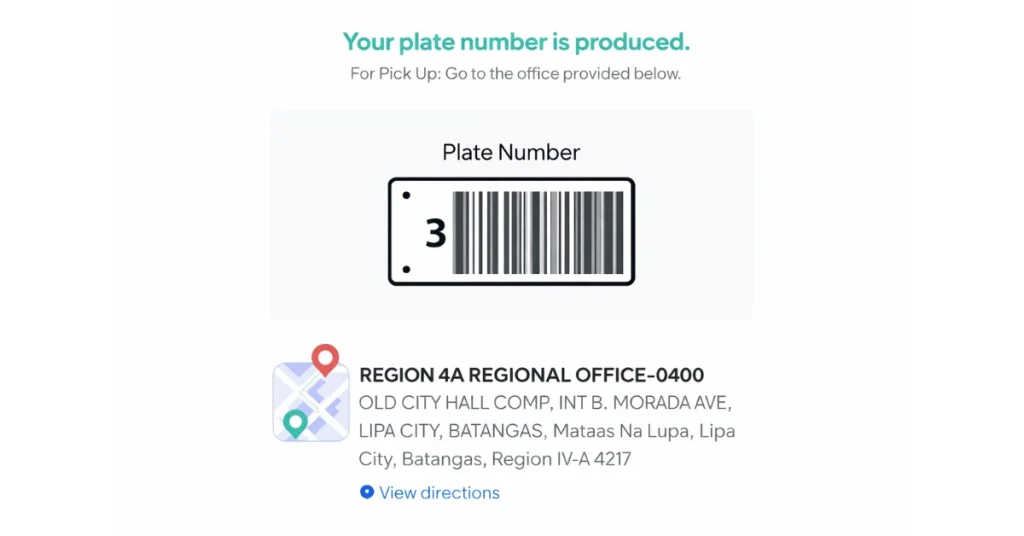
You have applied for your official plate number and now want to check the status of your plate number, you can use the LTO Tracker to see if their plate number is:
- Still being processed
- Already released
- Ready for pickup or delivery
Steps:
- Open the LTO Tracker above.
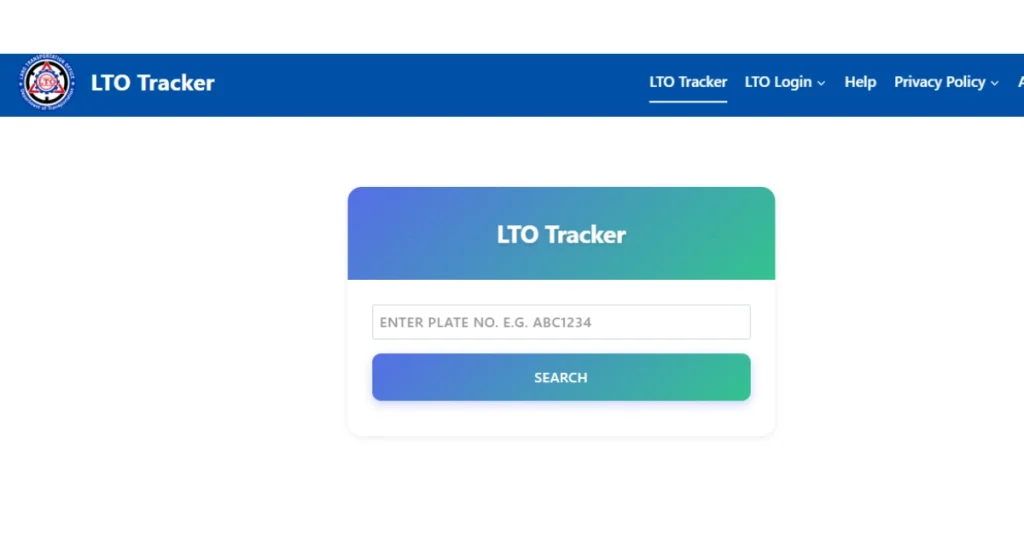
- Now select your tracking method, and enter your plate number.
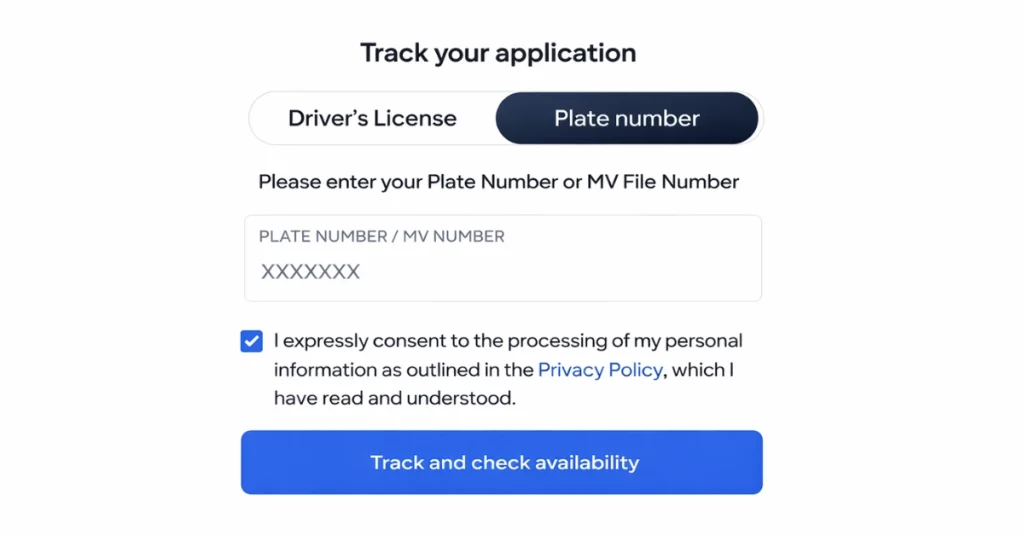
- Now check the box to agree with terms and conditions and click on the “Track” button.
- Your result will appear on your screen.
Tracking Driver’s License Status
The LTO Tracker can also be used to check:
- New driver’s license applications
- License renewals
- License card printing or release status
Steps:
- Follow the above same steps, open tracker.
- Then select the driving license option and enter your licence number.
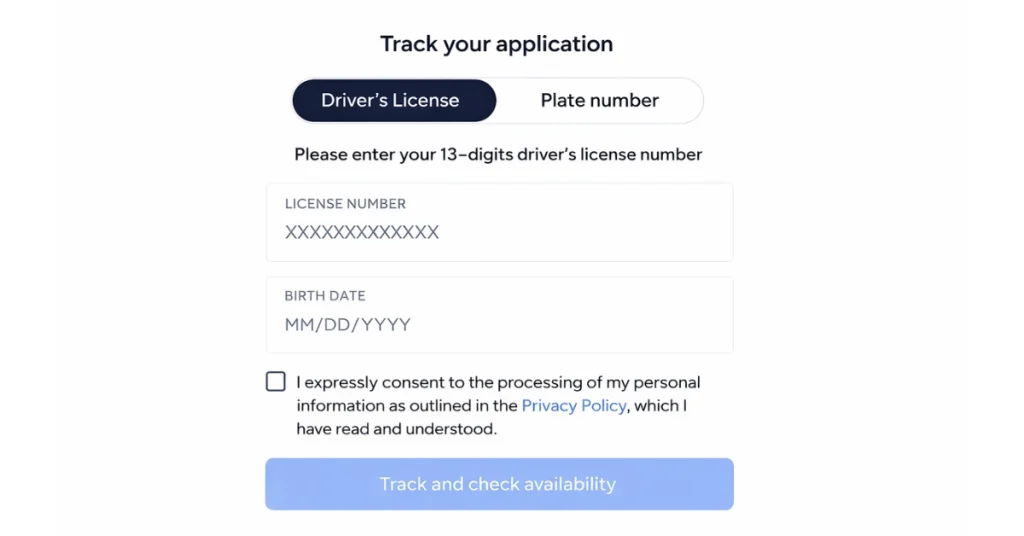
- Check the box to agree with terms and conditions and then tap on “Track”. And check your results.
LTO Home Delivery Tracking
If you have checked the status and your plate number or driving license is ready to pick up and if you chose home delivery, the tracker may show you:
- Processing confirmation
- Release updates
- Delivery status
Home delivery depends on LTO rules and the service you selected.
Home Delivery Process
If you want to avail home delivery service then you must follow the steps:
- Provide your clear ID and OR/CR photo.
- Fill in your complete address including your street, city, landmarks and your active contact number.
- Then pay your delivery charges, it’s around ₱150–₱600. It depends on your location.
- You will receive an SMS with your courier tracking number.
Why Use the LTO Tracker?
The LTO Tracker is helpful because it:
- Saves time and effort
- Reduces the need to visit LTO offices
- Gives clear status updates
- Helps you plan when to pick up documents
- Makes LTO services more transparent
Common LTO Tracker Problems and Their Solution
Sometimes, you cannot see results right away because:
- You entered any wrong details which require verification.
- Your transaction is not yet encoded by the LTO system.
- Maybe the system requires maintenance. So you have to wait a few days and try again.
Tips for Better Tracking Results
If you use LTO tracker and encounter any issue you can avoid errors by following these tips:
- Double-check your plate or license number
- Use the same details you used in LTMS
- Track during weekdays
- Keep your receipts or reference numbers
You can also use the system to check plate number in LTO online for availability.
Conclusion
The LTO Tracker is an online tool that helps people in the Philippines check updates for their driver’s license, vehicle plate number, and registration. LTMS users can see their status without going to an LTO office.
If you enter the correct details through the LTMS Portal, you can get fast and clear updates about your request. Due to this tracker you can save time and reduce waiting in long lines. It also helps people to avoid extra trips to the LTO. If the tracker shows a “No Record” error, you may need to retrieve LTO portal account details to verify your data.
Frequently Asked Questions (FAQs)
Do I need an LTMS account to use the LTO Tracker?
Some features work without login, but full tracking usually needs an LTMS account.
Can I track a foreign license conversion?
It may not show right away. Updates appear only after LTO encodes the request.
What does “Not Found” mean?
It means the record is not yet in the system or the details entered are incorrect.
Is the LTO Tracker updated instantly?
Updates depend on LTO processing, so some changes may take time.